RELEASE UPDATES

MaRMAT Version 2.7.0-p

MaRMAT v 2.7.0-p includes a number of significant upgrades that improve tool usability and assist metadata practitioners with interpreting data in output reporting.  These include application files for Windows PC and MacOS users, data dashboard on metadata reporting data statistics and visualizations, an optional collection title addition to reporting, improved file codec compatibility, and lexicon updates.

✨Application Files

For Windows PC and MacOS there are now application files that only require downloading the latest release an opening to run MaRMAT.  This method is dependency-free and installation of Python or libraries is not required.

  • For Windows PC users, this will be an .exe file – screenshot to the right.
  • For MacOS users, this will be an application file.
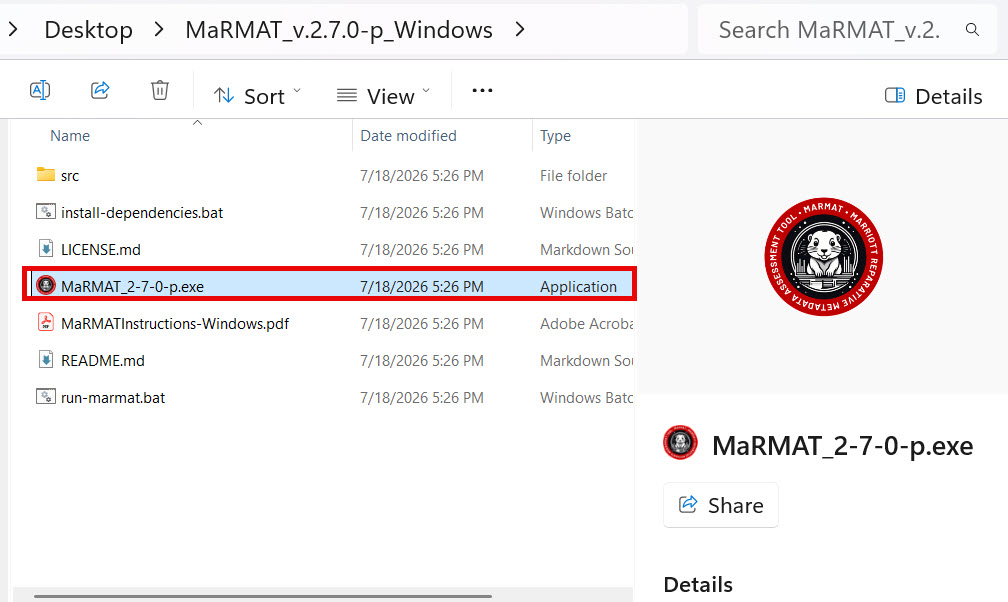
Screenshot of v2.7.0-p Windows PC release files with excecutable .exe file highighted

✨Data Dashboard

 Once a metadata file has been processed against a lexicon of choice, MaRMAT v 2.7.0-p includes an additional option in the Perform Matching screen – a Load Statistics button (screenshot at right).   By clicking on this button, users can view the data dashboard which includes topline statistics on your report and four data visualizations.
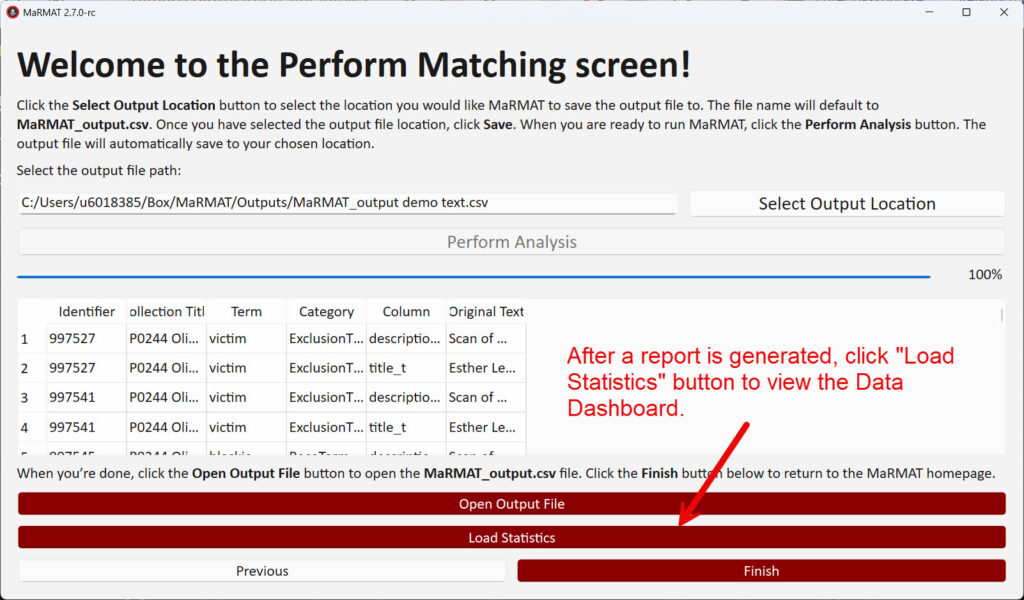
Screenshot of Perform Matching screen. After processing complete, users can click on the "Load Statistcs" button to view the data dashboard.

✨Results Statistics

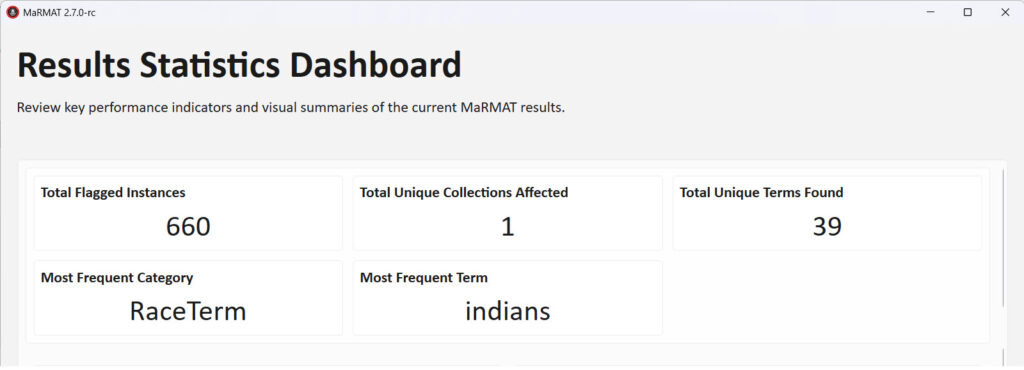
Appearing at the top of the data dashboard are high-level statistics on metadata reporting, including total number of flagged terms, count of unique lexicon terms, most frequent lexicon category, and most frequent flagged term.


Screenshot of results statistics which will appear on top of datadashboard.

✨Data Visualizations

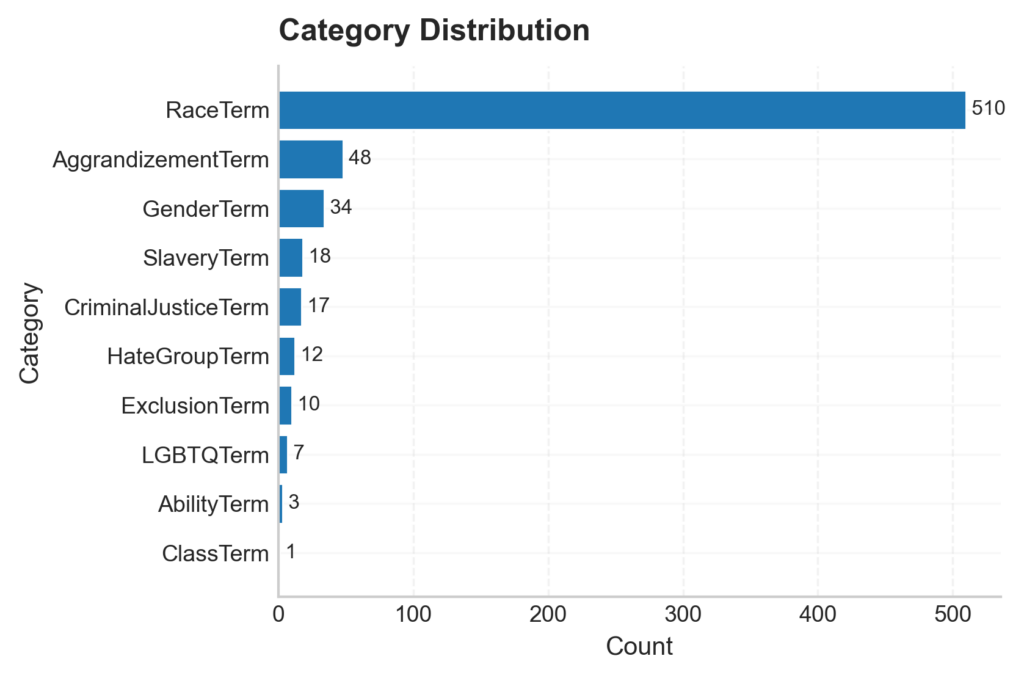
Powered by Pythonl libraries matplot lib and wordcloud, there are now four built-in data visualization graphs that will provide high-level assessment of reporting files. See below examples. These include:

  1. Category Distribution –  provides term hits by lexicon category.
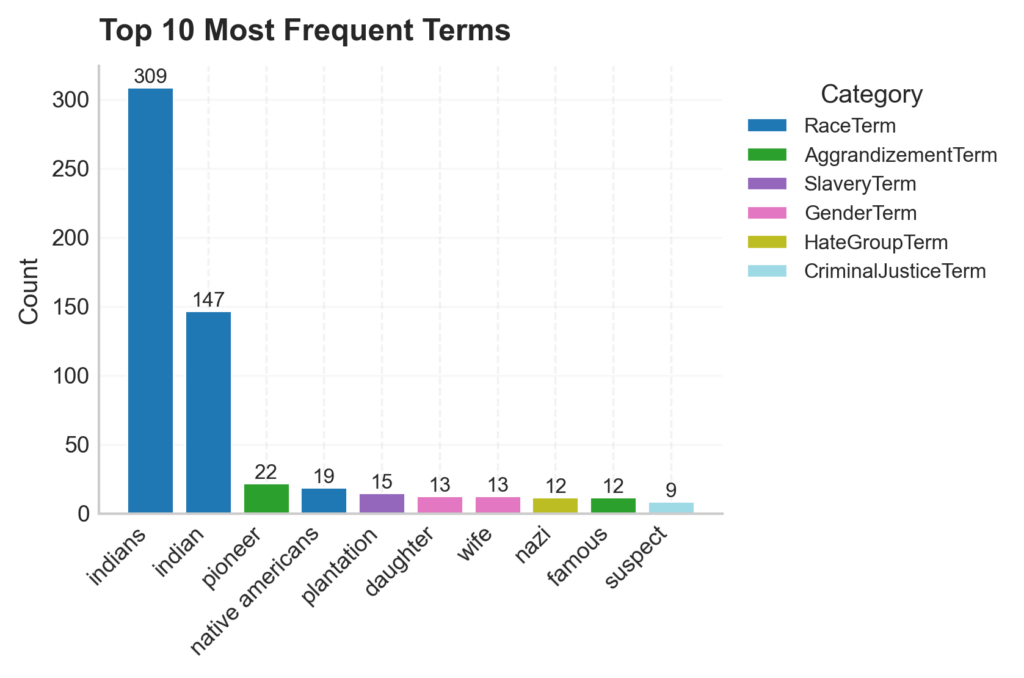
  2. Top 10 Most Frequent Terms – chart of most frequently found terms in uploaded metadata file from lexicon with terms’ lexicon categories noted by color.
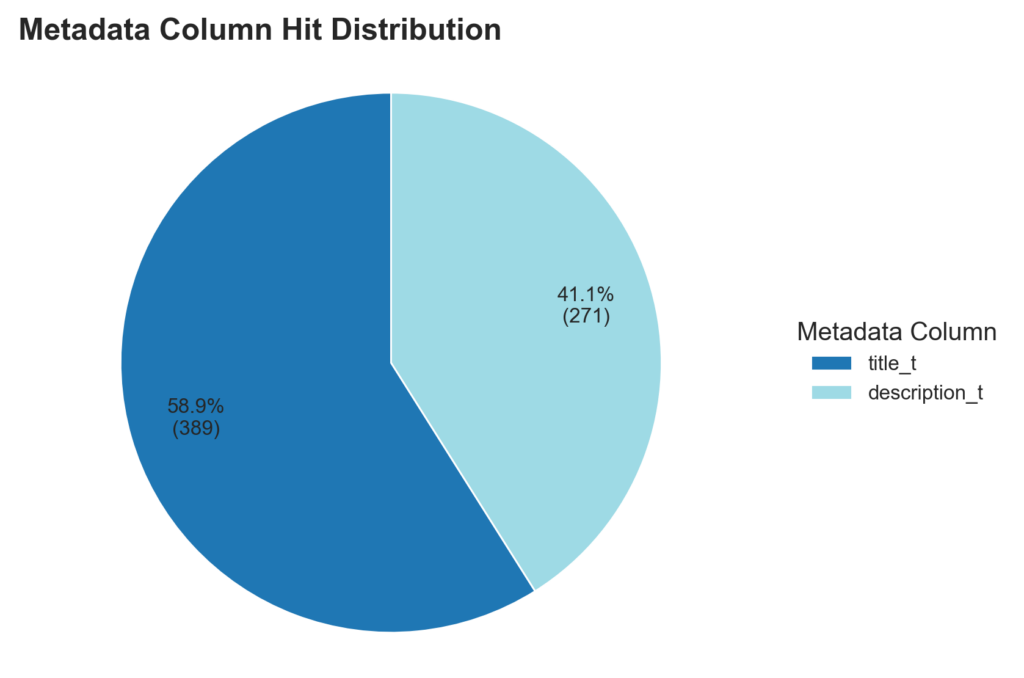
  3. Metadata Column (element) Hit Distribution – this report is helpful if you are analyzing multiple elements in one assessment report to see which element has the most flagged terms.
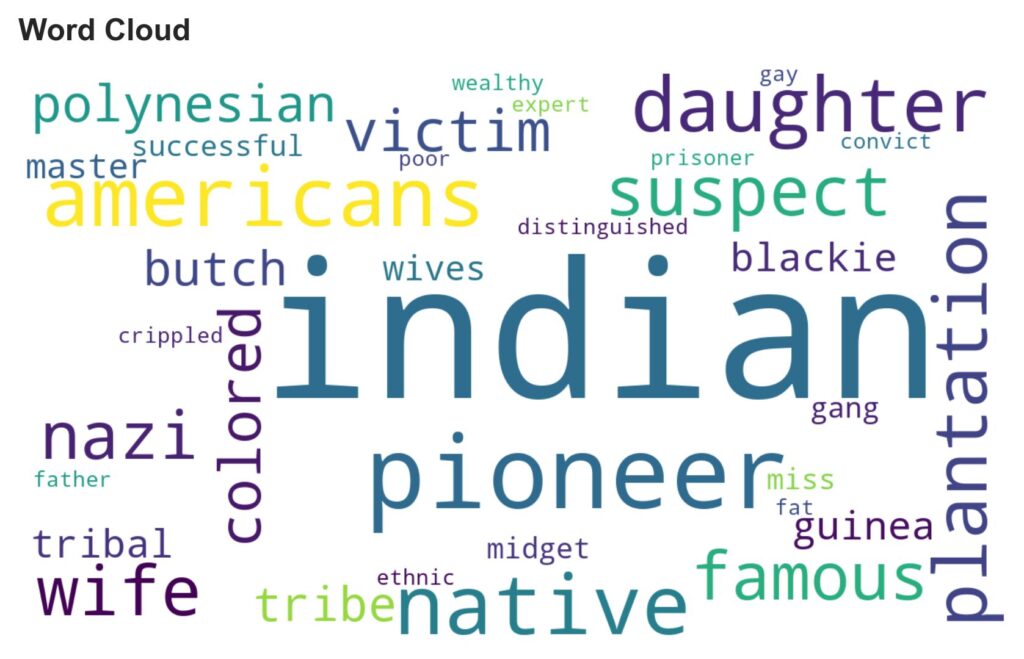
  4. Word Cloud on most frequent terms – this visualizes terms flagged with size of word indicating amount of times it appears in reporting with larger sized words indicating most frequently flagged in metadata.
Example Data Visualizations:
Example horizontal bar chart illustrating Top 10 Most Frequent Terms in this order: indians, indian, pioneer, native americans, plantation, daughter, wife, nazi, famous, and suspect. Each bar is colored based on the lexicon category the term is from.
Example Pie Chart comparing metadata elements (columns in metadata file uploaded) with count of terms found from the lexicon in each element.
Example Word Cloud of most frequent terms found in a metadata file uploaded to MaRMAT. Most frequent terms include indian, pioneer, native, and americans.

✨Collection Title Reporting Addition

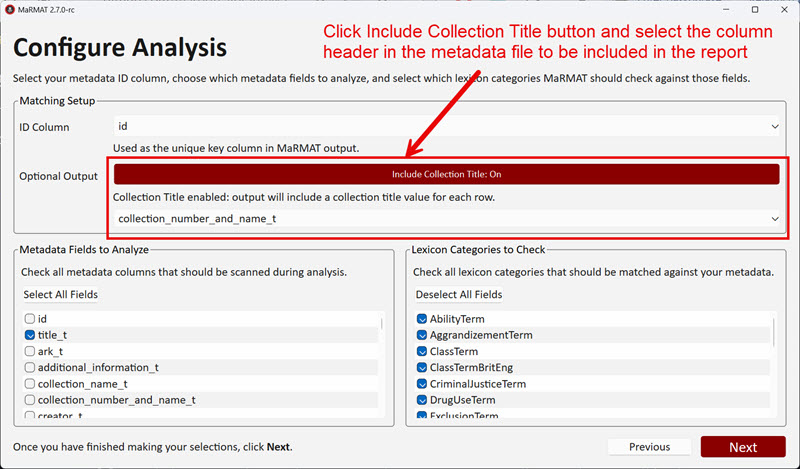
In the Configure Analysis screen, users can opt to include a Collection Title by clicking on the button, then select which column in the uploaded metadata file to represent the Collection Title via the  dropdown menu below the button (screenshot at right). 


This feature will be helpful when assessing large batches of metadata containing multiple collections. The output report can be filtered or grouped by collection title to aide reparative processes.

Screenshot of MaRMAT's Configure Analysis screen where users can include a Collection Title in reporting output by clicking on button of "Include Collection Title".
Screnshot of Configure Analysis screen with Collection Title button and dropdown menu highlighted.

✨ Codec Compatibility 

Version 2.7.0 includes a patch update (2.7.0-p) to allow for files with codec in spreadsheets to be uploaded and processed by MaRMAT. This will prevent for uploading errors with data files containing encoded codec that can be difficult to identify and cumbersome to remove from data files.

✨ Lexicon Updates

There were a few minor updates to the provided lexicons. Updates by lexicon include:

  • Reparative Metadata Lexicon: Moved previous Incarceration Terms category to a more robust Criminal Justice Terms category – thanks to community feedback.
  • LCSH: Updated Problem LCSH category with latest list (as of July 2026)from Cataloging Lab’s crowdsourced Problem LCSH effort. 
  • Sensitive Content Lexicon: Added several terms to the Indigenous American Sensitive category

Contact us​

Have questions? We’re always open to talk about how you’re using MaRMAT, new lexicons, ideas for improvements, and how we can help with your metadata assessment projects!

Scroll to Top